GoBasey · Blog
What Is an AI Workspace? How AI-Powered Workspaces Work
What if your AI assistant could work alongside your tasks and documents? Discover how AI workspaces work, what research says about productivity, and what to look for when choosing the right platform.
You're preparing for a team meeting and want AI to help you organize your project updates. You open a chatbot, explain the project, upload your notes, and list the tasks that still need attention.
The assistant produces a useful summary. Now you need to copy the action items into your task manager and save the meeting notes somewhere your colleagues can find them.
The AI helped with the writing, but moving that information into your actual workflow is still your responsibility.
This is one of the problems that an AI workspace aims to address.
Rather than treating artificial intelligence as a separate destination, an AI-powered workspace brings AI capabilities closer to the documents, tasks, and information people use to get their work done.
But what exactly does that mean, and how much can these systems really do?
What Is an AI Workspace?
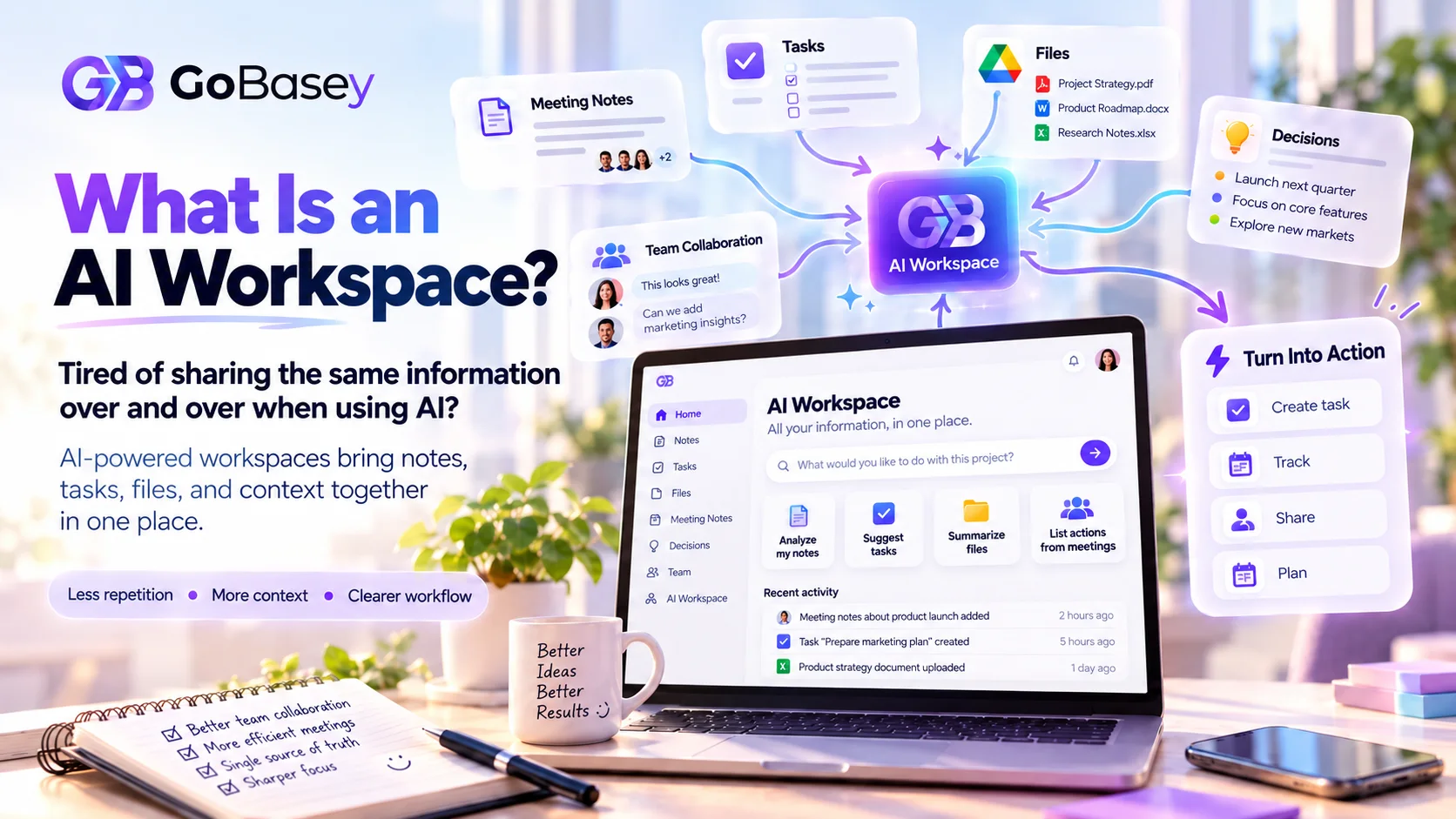
An AI workspace is a digital working environment that combines everyday productivity tools with artificial intelligence capabilities.
A traditional digital workspace might help you organize documents, manage tasks, track projects, and collaborate with colleagues.
An AI-powered workspace can support some of those same activities while also helping users analyze information, prepare content, summarize documents, or structure tasks.
The exact features vary between products.
Some platforms focus primarily on writing and knowledge management. Others bring AI into project coordination, document analysis, or team workflows.
There's also an important distinction between having AI features and allowing AI to understand everything in a workspace. Access depends on the product's architecture, available integrations, and permissions.
An AI workspace doesn't automatically have access to every file, conversation, or business system.
How Does an AI Workspace Work?
The technology behind these platforms varies, but several capabilities help explain how AI can become part of everyday work.
1. Using Relevant Workspace Context
When you ask an AI assistant to prepare a project update, the quality of the result depends partly on the information available to it.
A context-aware AI system may use selected project documents, task details, or recent work records to provide a more relevant response.
For example, access to task titles, deadlines, and progress updates could help the assistant prepare a draft status report.
This doesn't mean the system understands an entire organization. It means certain information can be made available within defined technical and permission boundaries.
2. Analyzing Documents and Generating Content
AI workspaces may support tasks such as summarizing documents, organizing meeting notes, reviewing text, and generating structured drafts.
Imagine receiving a lengthy project brief. Instead of manually extracting every action item, you could ask an AI assistant to identify the key requirements and prepare a task outline.
You would still need to check whether the proposed actions match the original document.
Generative AI can produce convincing but incorrect information, so reviewing important outputs remains necessary.
3. Turning AI Responses Into Work
Consider a meeting summary that identifies four follow-up actions.
If those actions remain inside a chat conversation, someone must transfer them to the team's task management system.
Some AI-powered workspaces make it possible to turn generated action items into tasks or transform AI responses into editable documents.
The resulting work can then be assigned, reviewed, and tracked through the normal workflow.
4. Keeping People Involved
AI-generated recommendations don't automatically become good business decisions.
A suggested deadline may be unrealistic. A project summary might overlook an important dependency. A generated task could lack sufficient context.
For that reason, people still need to confirm responsibilities, check the information, and approve important actions.
The most useful arrangement depends on how much automation the team needs and how much control it wants to retain.
AI Workspace vs. Chatbot: What's the Difference?
Chatbots and AI workspaces can support many of the same activities, including writing, research, and information analysis.
The difference often lies in how those capabilities connect to ongoing work.
For example, you can give a standalone AI assistant your meeting notes and request a summary. Some assistants also offer memory, integrations, and file access, so their capabilities may extend well beyond a simple conversation.
An AI workspace, meanwhile, focuses on placing AI capabilities alongside the work environment itself.
Depending on the platform, a user may be able to review existing tasks, work with selected documents, generate content, and turn responses into tracked activities without manually rebuilding every step.
Neither approach is automatically better.
A standalone assistant might be ideal for research or exploring ideas. A workspace-integrated assistant may be more convenient when the results need to become part of an existing project.
The deciding factor is whether the tools support the way you actually work.
What Can an AI-Powered Workspace Help You Do?
Different teams have different expectations when adopting AI.
A content team might need help preparing briefs and organizing editorial work. A project manager may want clearer meeting summaries, while someone working independently could use AI to structure notes or plan upcoming tasks.
Common use cases include:
Project and task management: AI can help draft project updates, organize action items, and structure task descriptions when the platform supports these features.
Meeting follow-ups: Notes can be organized into decisions, action items, and topics requiring further discussion. Team members can then confirm the details.
Document analysis: Supported files may be summarized or examined to identify relevant information, outstanding questions, and potential next steps.
Content preparation: Writers and marketers can use AI to develop outlines, prepare drafts, or review existing material while maintaining editorial oversight.
Individual planning: Freelancers, entrepreneurs, and independent professionals may use an AI-enabled workspace to bring research notes, personal tasks, and planning documents into a more consistent process.
These are examples of possible use cases, not a guarantee that every AI workspace includes every capability.
Does AI Actually Improve Workplace Productivity?
There's growing research on the productivity effects of generative AI, although the results depend on the tasks being studied.
In a 2023 experiment published in Science, researchers Shakked Noy and Whitney Zhang studied 453 college-educated professionals completing writing assignments.
Participants given access to ChatGPT completed the assigned tasks 40% faster on average, while evaluated output quality improved by 18%.
Another study, published in The Quarterly Journal of Economics in 2025, examined AI assistance using data from 5,172 customer support agents.
Researchers Erik Brynjolfsson, Danielle Li, and Lindsey Raymond found that access to AI assistance increased productivity, measured through issues resolved per hour, by an average of 15%.
The benefits varied across employees, with less experienced and lower-skilled workers generally seeing larger improvements.
These studies examined particular AI-assisted activities. They didn't measure the performance of every AI workspace or demonstrate that all organizations would achieve the same results.
More recent business research highlights why this distinction matters.
McKinsey's August 2026 State of AI survey included 1,719 respondents across 97 countries. Eighty percent reported that AI had improved their individual productivity.
However, only 37% reported that AI had contributed to their organizations' earnings before interest and taxes (EBIT).
These are self-reported survey findings rather than experimental measurements of company performance. They suggest that perceived individual productivity improvements don't always translate directly into measurable financial gains across an organization.
For teams evaluating AI-powered workspaces, this raises a practical question: How will you know whether the technology is helping?
Useful indicators might include time spent preparing routine reports, the accuracy of generated information, the number of repeated manual steps, and how easily employees can complete their assigned work.
How to Choose an AI Workspace for Your Team
Before adopting a new platform, identify the activities you want to improve.
If your main problem involves managing project responsibilities, an advanced writing assistant alone may not solve it. If your team regularly works with lengthy documents, file analysis and accessible information may be more relevant.
Evaluate these areas:
AI features and actual capabilities: Can the system work with tasks and documents, or is AI limited to a separate conversation interface?
Workspace context: What information can the assistant access? Are the boundaries clear, and can administrators or users control permissions?
Review and editing: Can people check AI-generated work before it becomes an official task, document, or project decision?
Privacy and security: How are files and sensitive information handled? What data policies and access controls apply?
Pricing and usage limits: Are AI requests, file sizes, usage allowances, and potential additional charges clearly explained?
Fit with existing workflows: Does the platform make everyday work easier, or would the team need to rebuild processes unnecessarily?
Security deserves particular attention.
The National Institute of Standards and Technology (NIST) identifies risks associated with generative AI, including confidently stated false information, data privacy concerns, and overreliance on AI-generated outputs.
Teams working with confidential business information should review a platform's data handling practices and verify important results before relying on them.
A short pilot using real, non-sensitive work examples can also help identify limitations before a wider rollout.
Bring AI Into Your Workflow With GoBasey
An AI response becomes more useful when it can contribute to the work you're already doing.
For example, extracting action items from meeting notes is helpful. Being able to turn those actions into tasks gives the team a way to follow through.
GoBasey approaches AI-powered workspaces from this perspective.
GoBasey AI Hub is designed to use limited context from recent documents and tasks within an authorized workspace. It also supports working with PDF, CSV, text, and supported image attachments.
Users can work with meeting notes, prepare structured content, and use supported workflows to convert AI responses into tasks or workspace pages.
The platform brings these AI capabilities closer to notes, projects, and task management within the broader GoBasey environment.
GoBasey's philosophy, “Your Base. Your Way.”, reflects the idea that different people and teams need different ways to organize their work.
The goal isn't to replace every specialized business tool or promise unlimited autonomous AI actions. GoBasey focuses on supporting everyday workflows while keeping important decisions and final verification in users' hands.
Explore GoBasey AI Workspace to see how AI can fit into your documents, tasks, and daily planning.
Final Thoughts: Make AI Part of the Work That Matters
AI can help people draft content, review documents, and organize information. Research also shows meaningful productivity improvements in certain types of work.
But faster content generation doesn't automatically mean a smoother working day.
If an employee still needs to move information manually between several tools, the underlying workflow may remain unnecessarily complicated.
An AI workspace offers one approach to connecting AI assistance with the documents, tasks, and activities that already shape a team's work.
Before choosing a platform, consider where your team spends time repeating instructions, searching for information, or transferring results between applications.
Those everyday activities can offer useful clues about where AI support would make the most difference.
Frequently Asked Questions
What is an AI workspace?
An AI workspace is a digital environment that combines productivity tools with artificial intelligence capabilities. Depending on the platform, it may support document analysis, task organization, content generation, and team workflows.
How is an AI workspace different from ChatGPT?
ChatGPT is an AI assistant with conversational capabilities and other supported features. An AI workspace is a broader approach that integrates AI with work-related tools and information. Some products combine both approaches.
Can an AI workspace manage tasks automatically?
Some AI workspaces support task creation or workflow automation. The level of automation depends on the platform, available integrations, and permissions. Human review may still be necessary.
Is an AI-powered workspace secure?
Security depends on the product's architecture, data policies, access controls, and implementation. Organizations should review these areas before using a platform with sensitive information.
Research & References
- Noy, S., & Zhang, W. (2023). Experimental Evidence on the Productivity Effects of Generative Artificial Intelligence. Science, 381(6654), 187–192.
- Brynjolfsson, E., Li, D., & Raymond, L. (2025). Generative AI at Work. The Quarterly Journal of Economics, 140(2), 889–942.
- McKinsey & Company. (2026). The State of AI in 2026: On the Road to ROI.
- National Institute of Standards and Technology. (2024). Artificial Intelligence Risk Management Framework: Generative Artificial Intelligence Profile.
Related articles
What Is a Digital Workspace? Why Teams Need a Central Place to Work
Give your work a clearer home. Explore how GoBasey can bring projects, tasks, team activity, and work context into one flexible workspace.
AI and Productivity: How AI Is Changing the Way We Work
Explore how AI is changing workplace productivity, where it saves time, where it falls short, and why context and workflow matter more than adding more AI tools.
Looking for a ClickUp Alternative? A More Centralized Workspace with GoBasey
Give your work a clearer home. Explore how GoBasey can help you organize projects, tasks, and team work in one flexible workspace