GoBasey · Blog
Looking for a ClickUp Alternative? A More Centralized Workspace with GoBasey
Give your work a clearer home. Explore how GoBasey can help you organize projects, tasks, and team work in one flexible workspace
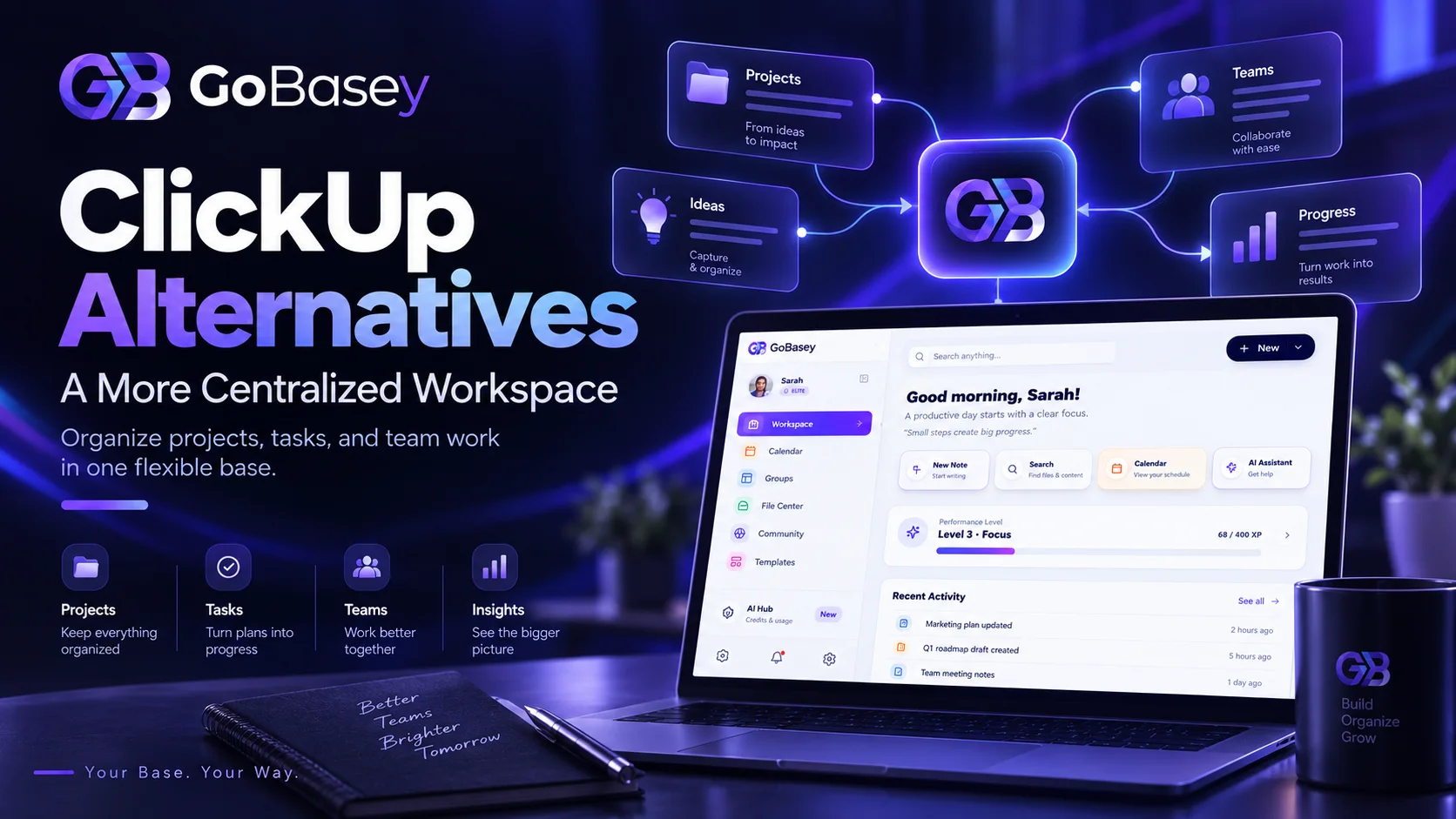
Thinking about switching project management tools rarely comes down to one reason.
Sometimes a team realizes it uses only a fraction of the features available in its current system. Sometimes tasks, files, project notes, and team communication end up spread across too many places. And sometimes managing the tool itself starts to feel like another task on the to-do list.
That is usually when teams begin searching for ClickUp alternatives.
But the most useful question is not simply:
“What can I use instead of ClickUp?”
A better question is:
“What kind of workspace actually fits the way our team works?”
ClickUp is not a lightweight or feature-limited product. Its current platform combines project and task management with Docs, Chat, Calendar, Dashboards, Whiteboards, automations, time tracking, AI, and multiple ways to view work. Its official product pages position it as a unified platform designed to reduce the need for separate work tools.
So looking for a ClickUp alternative does not necessarily mean something is missing from ClickUp.
Sometimes the issue is simply fit.
The platform may offer more structure, configuration, or functionality than your team actually needs. Or your team may prefer a different way to organize projects, tasks, information, and collaboration.
That is where GoBasey offers a different perspective.
Your Base. Your Way.
One flexible workspace for everything you do.
The goal is not to add another tool to your stack.
It is to make the place where work happens easier to understand.
What Is ClickUp?
ClickUp is a work management and project management platform designed to bring different parts of work into one system.
Its current product includes capabilities such as:
- task and project management,
- List and Board views,
- Calendar,
- Gantt charts,
- Docs and Wikis,
- Chat,
- Whiteboards,
- Dashboards,
- Forms,
- automations,
- time tracking,
- AI-powered features.
ClickUp also supports multiple ways to visualize work, including List, Board, Calendar, Gantt, and other views.
For many teams, that breadth is a major advantage.
But having access to a large number of features does not mean every team needs all of them.
A more useful question is:
Which capabilities will your team actually use every day?
Why Do Teams Look for ClickUp Alternatives?
Searching for a ClickUp alternative does not mean ClickUp is a poor product.
A powerful tool and the right tool are not always the same thing.
One team may need:
- advanced workflows,
- custom views,
- reporting,
- automation,
- sprint management,
- detailed permissions.
Another may simply need to:
- see what needs to be done,
- assign ownership,
- track deadlines,
- keep project information easy to find,
- understand what is happening across the team.
The right choice depends on the way the team operates.
You May Not Need Every Available Feature
Comparing software by feature count is easy.
Actually using those features is another matter.
A platform can offer dozens of capabilities while a team relies on only a handful of them every week.
If your daily workflow mainly involves:
- creating tasks,
- assigning owners,
- setting deadlines,
- checking project status,
- sharing files and information,
a highly configurable system may be more than you need.
This does not mean fewer features are automatically better.
It means the best system is often the one that makes the right features easier to use.
Your Work May Be Spread Across Too Many Places
Imagine this workflow:
Tasks → project management tool Files → cloud storage Meeting notes → another app Team conversations → chat platform Personal notes → somewhere else
None of those tools may be a problem on its own.
The friction appears when one person needs all of them just to complete a single piece of work.
At that point, the employee is not only managing a task.
They are managing context.
That is why modern work systems need to answer more than:
“Where is the task?”
They also need to help answer:
“Where can I find everything I need to complete it?”
Your Team May Struggle to Adopt the System
A product can be technically powerful and still fail to become part of a team's daily routine.
If people continue assigning work in chat, tracking deadlines in personal notes, or asking for project updates manually, the system may not have become the team's real source of truth.
That makes adoption an important part of software selection.
Do not only ask:
“What can this tool do?”
Also ask:
“Will our team actually use it consistently?”
Cost May No Longer Match Actual Usage
Free or low-cost plans can be a good way to get started.
But as a team grows, limits around:
- users,
- storage,
- automation,
- reporting,
- AI,
- integrations,
- advanced views
can change the total cost of a system.
The least expensive tool is not always the least expensive workflow.
And the most comprehensive tool does not automatically create the highest value.
The useful metric is the relationship between:
cost + adoption + workflow fit + actual usage.
GoBasey: A Different Way to Think About a ClickUp Alternative
GoBasey should not be viewed only as another task manager.
Its positioning is built around a broader idea:
projects, tasks, and team work should have a clear home.
Instead of letting work become scattered across disconnected systems, the goal is to organize it around a more centralized workspace.
That is the idea behind:
Your Base. Your Way.
A “base” is not simply another app.
It is the place your team returns to understand:
- what is happening,
- what needs to happen next,
- who owns the work,
- where relevant information belongs.
Not More Tools — A Clearer Center for Work
Most work management problems eventually come back to a few basic questions:
- What needs to be done?
- Who owns it?
- When is it due?
- What stage is it in?
- Where is the relevant information?
- What happens next?
A useful workspace should make those answers easier to find.
If the team still has to search across several systems to understand a project, the software may be powerful without making the work itself clearer.
This is where GoBasey's workspace approach becomes relevant:
organize work around its context, not only around a list of tasks.
When Could GoBasey Be Considered as an Alternative to ClickUp?
There is no single project management platform that fits every team.
But GoBasey may be worth considering if some of the following situations sound familiar.
You Want Projects and Tasks to Feel More Connected
When several projects are active at the same time, visibility becomes important.
Consider a website launch:
Website Project
→ Design → Content → Development → SEO → Testing → Launch
Each stage can contain different tasks, owners, deadlines, and information.
The important question is not only:
“Can I create a task?”
It is:
“Can I understand the state of the project as a whole?”
A centralized workspace becomes useful when individual tasks still make sense inside the larger project context.
You Run a Small or Lean Team
People in smaller teams often wear several hats.
The same person might:
- talk to a client,
- create tasks,
- write content,
- review files,
- monitor project progress.
A three-person team does not necessarily need the same operating model as a large enterprise organization.
For lean teams, visibility can matter more than complexity.
People need to know:
What am I responsible for, and what needs attention next?
You Keep Switching Between Multiple Work Tools
If completing one piece of work means opening:
a task manager,
a documentation tool,
a file system,
a notes app,
and several other platforms,
it may be worth reviewing your tool stack.
Ask:
Which tools genuinely need to remain separate?
Then ask:
Which parts of the work could share one central workspace?
This does not mean eliminating every specialist tool.
Designers may still work in design software.
Developers may still use code repositories.
Finance teams may still need dedicated financial systems.
The goal is not to replace everything.
The goal is to make sure the team has a common answer to:
“Where do we go to understand the work?”
You Want the Workspace to Adapt to the Team
Not every team works the same way.
An agency does not operate like a software engineering team.
A freelancer does not manage work like a 20-person operations department.
That is why workflow fit matters.
A good workspace should support the way people work instead of forcing every team into the same model.
That is the idea behind GoBasey's:
Your Base. Your Way.
ClickUp vs GoBasey: What Should You Actually Compare?
A useful comparison should go beyond:
“Which product has more features?”
ClickUp clearly offers a broad set of work management capabilities, including projects, Docs, Chat, Dashboards, AI, Whiteboards, automations, and multiple project views.
A better evaluation starts with your own workflow.
| Question | What to Evaluate |
|---|---|
| How much complexity do we actually need? | Identify the capabilities your team uses regularly, not the ones that simply look useful in a feature list. |
| Do we want a more centralized workspace? | Review how many systems currently hold project, task, and team information. |
| Will the team adopt it easily? | Evaluate day-to-day usability, not only the initial demo. |
| Why do we need AI? | Define the specific workflow problem AI is expected to solve. |
| How easy is it to find project context? | Test whether tasks, files, and related information are easy to connect. |
| Will the system still work as the team grows? | Consider future workflow and collaboration needs. |
| What will the total cost become? | Include users, storage, automation, AI, integrations, and advanced features. |
A feature matrix can be useful.
But software is ultimately used by people, not spreadsheets.
Other ClickUp Alternatives to Consider
GoBasey is not the only option.
Different products reflect different approaches to work.
The point is not to create another long “best tools” list.
It is to understand which working model matches your needs.
Asana
Asana places strong emphasis on structured project and task management.
Its official project management pages support tasks with clear owners and due dates, alongside List, Board, Calendar, Timeline, and Gantt views. It also includes rules and automation for recurring workflow actions.
Asana may be relevant for teams that prioritize:
- task ownership,
- deadlines,
- structured project coordination,
- project visibility.
Notion
Notion combines project management with documentation and knowledge management in a connected workspace.
Its current Projects product supports:
- tasks and subtasks,
- assignees,
- due dates,
- dependencies,
- calendar and board views,
- project progress.
It also connects project work with documentation and AI-assisted content workflows.
This makes it relevant for teams that want project information and documentation to live closely together.
Trello
Trello is built around boards, lists, and cards.
Lists can represent workflow stages such as:
To Do → In Progress → Done
while cards can represent tasks, ideas, requests, or other units of work.
Trello's official guides also support due dates, members, checklists, attachments, comments, integrations, and automation around the board-and-card model.
It may suit teams that prefer a direct, visual Kanban-style workflow.
What Should You Check When Looking for a Free ClickUp Alternative?
A free plan can be useful.
But “Is it free?” should not be the only question.
As of September 2026, ClickUp's official pricing page lists a Free Forever plan that includes:
- 60 MB storage,
- unlimited tasks,
- unlimited Free Plan members,
- Collaborative Docs,
- Kanban Boards,
- Sprint Management,
- Calendar View,
- basic Custom Field management.
Its current pricing also shows usage limits around AI and other advanced capabilities.
When comparing a free ClickUp alternative, check:
- user limits,
- project or workspace limits,
- task limits,
- storage,
- available project views,
- file sharing,
- automation limits,
- AI limits,
- export options,
- future paid-plan pricing.
A free plan may be enough today.
The more useful question is:
Will it still fit the team six or twelve months from now?
Pricing and plan limits can change, so always verify them on the official product page before making a decision.
A 10-Minute Test for Choosing a ClickUp Alternative
Instead of learning every feature before making a decision, test the product with real work.
Choose a small active project.
For example:
Launch the new website
Then:
- Create five real tasks.
- Assign owners.
- Add deadlines.
- Move one task to a different stage.
- Add relevant project information.
- Try to find a related file.
- Find an overdue task.
- Identify what needs to be done today.
- Ask another team member to use the system without your help.
- Try to understand the overall project status in under one minute.
Then ask:
Did we manage the work, or did we spend our time managing the tool?
That question can reveal more than a long feature comparison.
GoBasey's Approach: Give Work a Clear Home
The number of features available in work management software keeps growing.
But productivity does not always come from adding more.
Sometimes it begins with something simpler:
knowing where work lives.
Open a project and understand what needs to happen.
Open a task and see its context.
Know who owns the work.
Find the deadline.
Understand the current status.
That is the idea behind GoBasey's workspace approach:
give your work a base.
So the most useful way to compare GoBasey with ClickUp is not:
“Does GoBasey copy every ClickUp feature?”
It is:
“Does GoBasey's working model fit the way our team actually operates?”
That is a much more practical comparison.
Before You Switch From ClickUp
Changing software does not automatically fix a broken workflow.
If you move the same confusion into a different platform, only the interface changes.
Before switching, define three things.
1. What Is Actually Not Working?
Be specific.
For example:
- the team is not adopting the system,
- project information is hard to find,
- workflows feel unnecessarily complex,
- costs are increasing,
- project status is not visible enough,
- too many tools are required.
Different problems require different alternatives.
2. Which Features Are Truly Essential?
There is a difference between:
“Nice to have”
and:
“We cannot operate without this.”
Create a short list of the capabilities your team genuinely needs.
That makes comparison much easier.
3. Does the New System Fit Real Work?
A polished demo is not enough.
Create a real project.
Use real tasks.
Let a real team member try it.
Then review the experience after several days.
A good work system should not only make sense on day one.
It should still make sense months later.
Frequently Asked Questions
What is a ClickUp alternative?
A ClickUp alternative is a project, task, work management, or collaboration platform that addresses similar needs through a different product structure or working model.
What can I use instead of ClickUp?
Depending on your needs, you may consider tools such as GoBasey, Asana, Notion, or Trello. The right choice depends on your workflow, team size, project structure, and the level of flexibility or simplicity you need.
Can GoBasey be considered a ClickUp alternative?
GoBasey can be considered by teams that want to organize projects, tasks, and team work around a more centralized workspace.
The comparison should not be based on whether every ClickUp feature is replicated one-to-one.
The better question is which working model fits your team.
Is ClickUp free?
Yes.
ClickUp currently offers a Free Forever plan. As of September 2026, its official pricing page lists unlimited tasks, unlimited Free Plan members, 60 MB storage, Collaborative Docs, Kanban Boards, and Calendar View among the included features.
Because plan limits change, check the official pricing page before signing up.
Can I use a simpler alternative to ClickUp?
Yes.
If your team uses only a small portion of ClickUp's broader feature set, a more focused work management system may be worth considering.
However, “simple” means different things to different teams.
Testing a real workflow is more useful than judging the product from screenshots or feature lists.
What is the difference between ClickUp, Asana, Notion, and Trello?
The platforms emphasize different working models.
Asana focuses heavily on structured project and task coordination. Notion combines projects with documentation and knowledge. Trello is centered on visual boards, lists, and cards. ClickUp brings a broad range of project, communication, documentation, automation, and AI features into one configurable platform.
Conclusion: Look for the Right Way of Working, Not Just Another Tool
Searching for ClickUp alternatives should not be reduced to finding another product name.
Start with the problem.
Are there more features than the team actually uses?
Is important information scattered?
Is adoption low?
Are people constantly switching between tools?
Are costs increasing?
Is project status difficult to understand?
Each of those problems points toward a different type of alternative.
ClickUp remains a broad work management platform that combines projects, tasks, Docs, Chat, AI, Dashboards, automations, and multiple project views.
But a powerful platform does not have to be the right platform for every team.
If your priority is organizing projects, tasks, and team work around a workspace that better reflects how your team operates, GoBasey is worth evaluating from that perspective.
Your Base. Your Way.
Related articles
AI and Productivity: How AI Is Changing the Way We Work
Explore how AI is changing workplace productivity, where it saves time, where it falls short, and why context and workflow matter more than adding more AI tools.
GoBasey AI Workspace: Notes, Files, and Team Flow in One Place
A practical product overview for teams that want notes, files, AI assistance, and execution context in one calm workspace.
Team Workspace Setup Checklist: Start Clean in GoBasey
A practical checklist for setting up a focused GoBasey team workspace before notes, files, AI outputs, and tasks begin to pile up.