GoBasey · Blog
What Is an All-in-One Workspace? How to Manage Tasks, Notes, and Projects
Explore a practical way to organize tasks, notes, and projects in one shared workspace, with research-backed insights for better teamwork.
Your team is preparing to launch a new website. The project plan is in one app, design feedback is buried in email threads, meeting notes are saved elsewhere, and deadlines are tracked in a separate spreadsheet.
Everyone has access to the information they need, at least in theory. Finding the right information at the right moment is another matter.
When someone asks which design version was approved or who's responsible for the next update, the team may have to search through several tools before getting an answer.
An all-in-one workspace offers a different approach: organizing the information and activities connected to a project within a shared working environment.
But bringing everything together isn't necessarily the same as making work easier. The real question is how well a workspace helps people connect their tasks, documents, and decisions.
What Is an All-in-One Workspace?
An all-in-one workspace is a digital platform that combines several work-related functions within a shared environment.
Depending on the product, these functions may include note-taking, task management, project planning, document organization, file sharing, and team collaboration.
For example, a small marketing team might use one workspace to prepare campaign briefs, organize upcoming tasks, track deadlines, and review project progress.
Someone working independently could use a similar setup to manage personal projects, research notes, and daily responsibilities.
The term doesn't refer to a fixed set of features. Different platforms offer different combinations of tools, and some focus more heavily on particular activities.
What makes a unified workspace useful is how its features support the work people need to complete.
Why Putting Everything in One App Isn't Enough
Imagine using a platform that includes a notes section, a task manager, and a file library.
That sounds convenient. But what happens if a task can't be connected to the document explaining its requirements?
A teammate might see that a design needs revision without knowing what the client requested. They would still need to search through meeting notes or ask someone for clarification.
An effective shared workspace needs more than several features sitting next to each other.
Consider a website redesign project. A task to update the homepage could include a responsible person, a due date, and a link to the approved design brief. The project overview could show whether the task is still in progress or ready for review.
That information gives the task context.
A workspace doesn't have to store every file internally to achieve this. Sometimes, a clear link to a document in a specialized tool is enough, provided the team knows which version is current and who can access it.
How to Manage Tasks, Notes, and Projects in One Place
A useful way to understand a centralized workspace is to follow a project from planning to delivery.
Start With a Clear Project Overview
Create a dedicated project area that explains what the team is working on.
For a website launch, this might include the project goal, major deadlines, key responsibilities, and links to essential documents.
A new teammate should be able to open the project and understand its current status without requesting a lengthy explanation.
Keep Meeting Notes Connected to Decisions
Meeting notes are more useful when they record what was decided and what still needs attention.
Suppose the client approves the homepage design but requests changes to the mobile navigation.
The meeting record should make that distinction clear. Otherwise, someone reviewing the project later may struggle to identify which parts of the design are final.
Turn Decisions Into Trackable Tasks
A meeting decision often creates follow-up work.
The mobile navigation change could become a task assigned to a designer, with a due date and a reference to the relevant feedback.
Once the change is completed, the task status can be updated so the rest of the team knows what happened.
Make Important Files Easy to Find
Design files, presentations, spreadsheets, and reference materials don't always need to live inside the same application.
What matters is maintaining a reliable way to find them.
For example, the project overview could link to the approved design file while the task description points to the specific section requiring changes.
This helps team members avoid relying on outdated attachments or searching through message histories.
What Does Research Say About Disconnected Work?
Information sharing and team coordination have been examined in several workplace studies.
Atlassian's State of Teams 2025 research surveyed 12,000 knowledge workers and 200 executives. The report found that respondents estimated spending approximately 25% of their time searching for answers.
This suggests that having information available somewhere within an organization doesn't necessarily make it easy to use.
Atlassian's State of Teams 2026 research, based on a survey of 12,035 knowledge workers, found that 87% reported lacking sufficient time or capacity to coordinate because of the pace of work.
Asana's State of Work Innovation research, covering more than 13,000 knowledge workers across six countries, reported that 53% of working time was spent on activities such as communicating about work, searching for information, and checking task status.
These are findings from organizational surveys, not controlled experiments comparing all-in-one workspace products with separate applications.
They identify problems worth addressing, but they don't establish that adopting a single platform will automatically improve productivity.
There's also a cognitive side to the discussion.
In a 2009 paper published in Organizational Behavior and Human Decision Processes, Sophie Leroy examined the effects of switching between tasks. The experiments showed that unfinished work can continue occupying attention after a person moves to another activity, affecting performance on the subsequent task.
A centralized workspace cannot eliminate every interruption or task transition. It can, however, provide an opportunity to organize information so that returning to a task requires less searching and reconstruction.
How to Set Up a Shared Workspace for Your Team
Moving every project and document into a new platform at once can make the transition unnecessarily complicated.
A smaller pilot gives the team a chance to see whether the proposed structure fits its actual work.
1. Choose One Active Project
Start with a project that involves several people, shared documents, and recurring tasks.
A client campaign, product launch, or website update can provide enough activity to test the workflow without requiring a company-wide migration.
2. Decide Where Essential Information Belongs
Agree on where the team will maintain project status, task ownership, deadlines, and decisions.
A single source of truth doesn't mean every piece of information must exist in one database. It means the team has an agreed, authoritative place to find the latest version of each important record.
3. Connect Tasks to Their Supporting Information
Whenever possible, include the relevant brief, meeting record, or file reference with a task.
This makes it easier for someone to understand the work without requesting the same background information again.
4. Establish Simple Update Rules
Decide who updates task statuses and when decisions should be recorded.
Even a well-designed workspace becomes difficult to trust if information is left outdated.
5. Review What Changed
After a few weeks, ask the team whether it can find project information more easily.
Look for repeated data entry, missing decisions, unclear responsibilities, and unnecessary handoffs.
These observations will help determine whether the workspace is solving a real problem or merely changing where the problem occurs.
All-in-One Workspace vs. Specialized Tools: Which Is Better?
An all-in-one platform isn't necessarily the right choice for every business function.
Design teams may need advanced creative software. Developers often rely on dedicated code repositories and development tools. Finance departments may require specialized accounting systems.
Replacing these tools with less capable alternatives simply to reduce the number of applications could make work harder.
A more practical approach is to identify which activities benefit from shared coordination and which require specialized software.
For example, a development team might continue managing code in its existing platform while using a shared workspace to organize project goals, responsibilities, and delivery milestones.
The question isn't how many applications you can eliminate. It's whether people know where their work stands and how to access the information required to move forward.
What to Look for When Choosing an All-in-One Workspace
Before committing to a platform, examine how well it fits your team's responsibilities.
Task and project management: Can the team assign responsibilities, track deadlines, and review progress in a format that matches its workflow?
Notes and document organization: Can important information be structured and retrieved without creating a complicated folder system?
Collaboration: Are responsibilities and updates visible to the people who need them, with appropriate access permissions?
Flexibility: Can individuals and teams organize their work differently without losing consistency in essential project information?
Data access and portability: Can information be exported or moved if the organization changes tools later?
Pricing: Are team membership, storage, and advanced features included in the expected cost?
Testing a platform with a real project can reveal issues that aren't obvious from a feature comparison.
A useful workspace should support the work itself, not require employees to spend their day maintaining the workspace.
Organize Your Work Your Way With GoBasey
A freelancer managing client projects doesn't need the same workspace structure as a team coordinating a product launch.
Some people begin their day by reviewing tasks. Others need immediate access to their notes, documents, or project timelines.
GoBasey is designed around this flexibility.
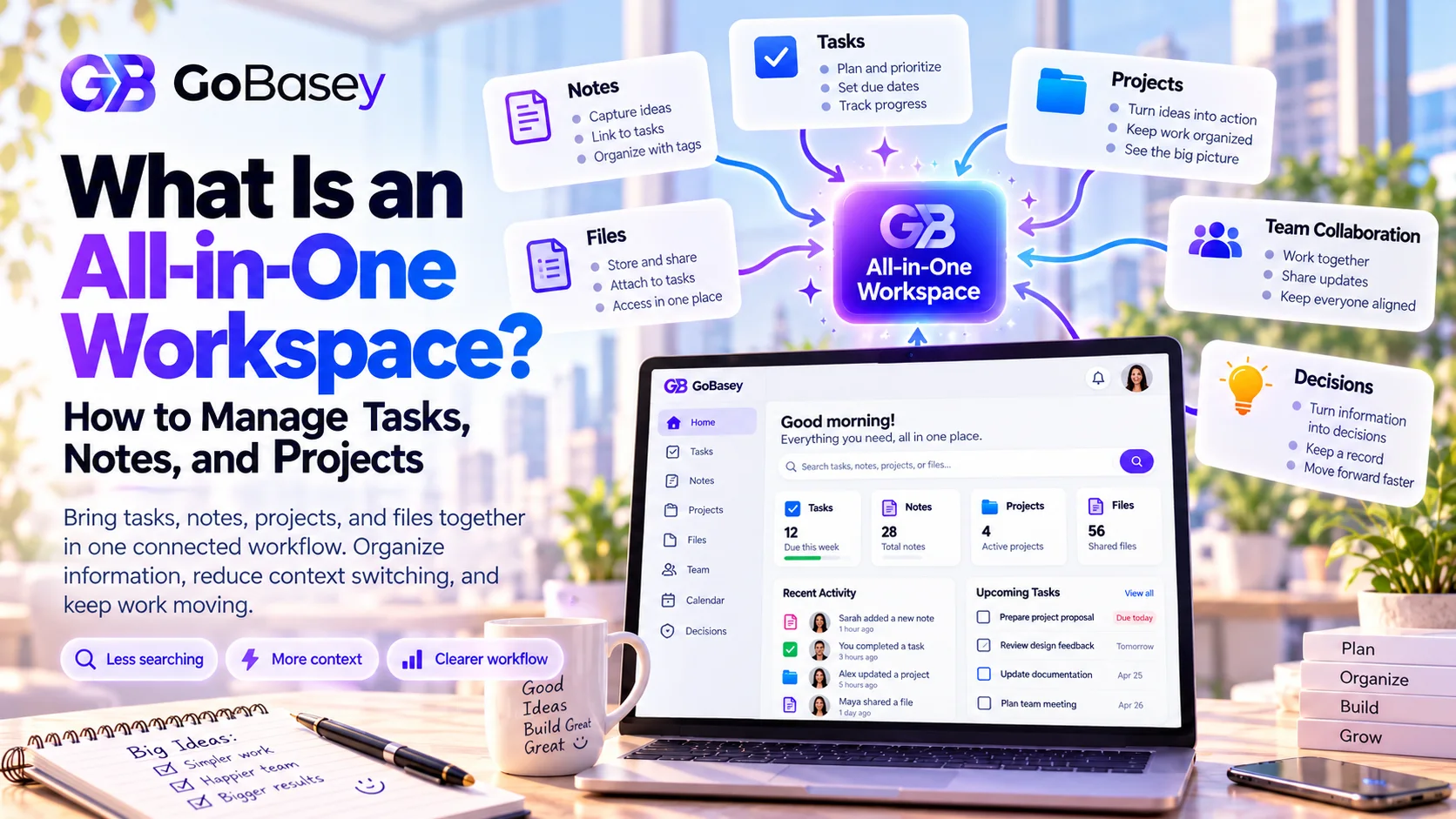
The platform brings together notes, tasks, projects, files, and team-oriented work features within a shared environment.
Its project and task management capabilities include ways to organize work through Kanban, timelines, and calendar views, helping users follow progress in different formats.
GoBasey also provides AI-assisted features for working with supported documents and task context, including structured analysis and turning certain AI outputs into tasks or workspace pages.
The goal is to help users maintain a working environment suited to their needs, rather than expecting everyone to follow the same rigid process.
That idea is reflected in GoBasey's philosophy: Your Base. Your Way.
You can explore GoBasey or learn more about its project management features to see how the platform approaches everyday work organization.
Final Thoughts: A Connected Workspace Starts With Clear Workflows
A workspace becomes useful when people can find the information they need and understand what happens next.
Adding tasks, notes, and documents to one platform won't solve unclear responsibilities or inconsistent project updates on its own.
Teams still need to decide where decisions are recorded, how work is assigned, and who maintains essential information.
An all-in-one workspace can provide the structure for those activities, but the value comes from how people use it.
Before moving to a new platform, choose one project and examine where information gets lost or work is repeated.
That will tell you far more about what your team needs than a long list of software features.
Frequently Asked Questions
What is an all-in-one workspace?
An all-in-one workspace is a digital platform that combines functions such as task management, notes, project planning, and collaboration within a shared working environment.
Is an all-in-one workspace the same as project management software?
Not necessarily. Project management software primarily focuses on planning and tracking projects. An all-in-one workspace may also include notes, documents, shared information, and other productivity features.
Do teams need to replace all their existing tools?
No. Specialized applications can remain part of the workflow. A shared workspace can serve as a central place for coordinating responsibilities and information while linking to other tools when necessary.
What is the benefit of a single source of truth?
A single source of truth gives team members an agreed place to find authoritative information, such as current task ownership, approved decisions, and project status. It can reduce confusion when records are maintained consistently.
Research & References
- Atlassian — State of Teams 2025.
- Atlassian — State of Teams 2026.
- Asana — State of Work Innovation.
- Leroy, S. (2009). Why Is It So Hard to Do My Work? The Challenge of Attention Residue When Switching Between Work Tasks. Organizational Behavior and Human Decision Processes, 109(2), 168–181.
Related articles
What Is an AI Workspace? How AI-Powered Workspaces Work
What if your AI assistant could work alongside your tasks and documents? Discover how AI workspaces work, what research says about productivity, and what to look for when choosing the right platform.
How to Improve Productivity at Work: The Hidden Cost of Too Many Tools
Busy all day but still not making the progress you expected? Too many disconnected tools might be slowing you down. Discover the hidden costs of app overload and explore 7 practical ways to improve productivity and simplify your workflow.
GoBasey AI Workspace: Notes, Files, and Team Flow in One Place
A practical product overview for teams that want notes, files, AI assistance, and execution context in one calm workspace.